What needed to change
Aha! Parenting's fully custom online course portal, with 10,000+ users and a lot of moving pieces, had to move off Business Catalyst.

Case studies / Peaceful Parent Happy Kids
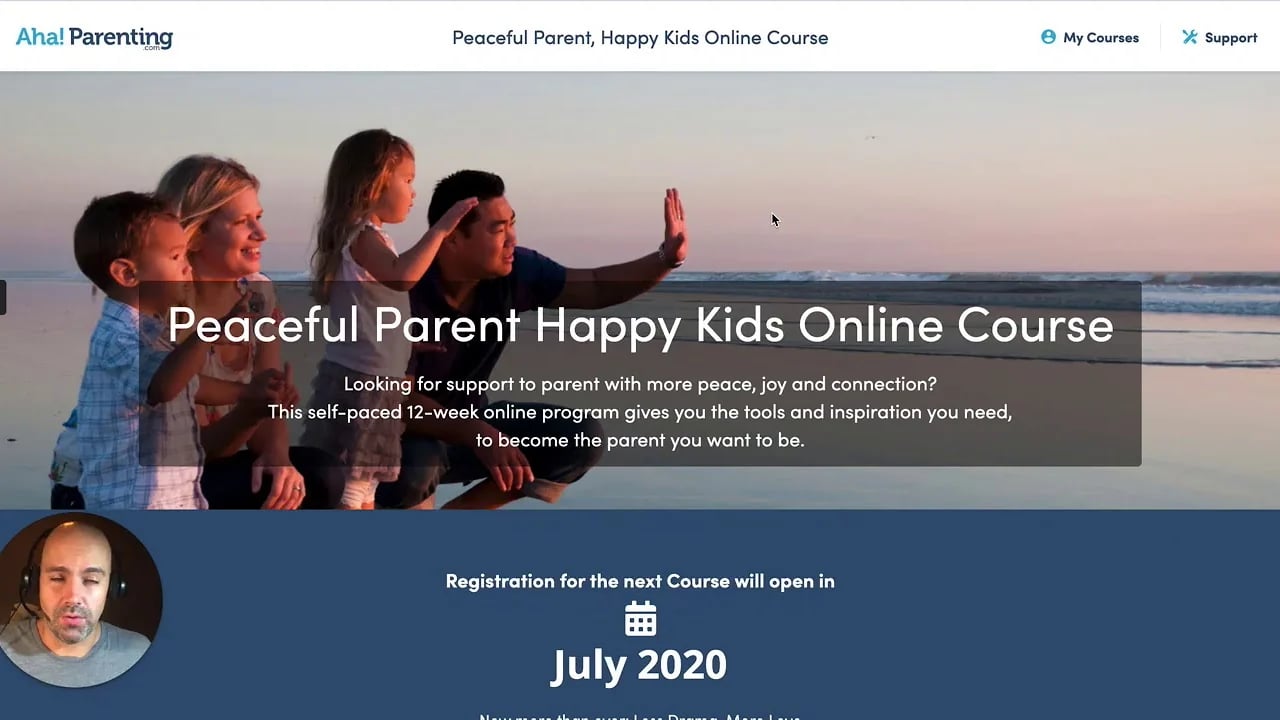 Video · Aha! Parenting · 2:10
“Siteglide was an ideal choice for rebuilding our fully custom online course portal, which had a lot of moving pieces. … Siteglide's CRM, Secure Zones and payment functionality made all this possible.”Devon Reehl, Co-Founder, Enginate
Aha! Parenting's fully custom online course portal, with 10,000+ users and a lot of moving pieces, had to move off Business Catalyst.
Rebuilt on Siteglide using the CRM, Secure Zones and payment functionality.
Four registration windows have run on the new system, with thousands of participants active in the course each week. A subscription for graduates has been added since launch.
Devon Reehl, Co-Founder, Enginate · 27 April 2020
Our approach to moving our client sites off Business Catalyst was simple: start with the most complex and move on from there. We’re happy to say that as of today, we’ve successfully rebuilt our most complex sites on Siteglide, which in our opinion was the best platform for the job.
Here I’ll outline how we rebuilt a custom online course platform for Ahaparenting.com with over 10,000 users on Siteglide.
Enginate is a Chicago based marketing and web development agency that has been building sites on Business Catalyst since 2007. We have a team of 6–8, a mix of full-time and part-time staff with specialities in strategy, data design, web design, development and branding.
We committed to Business Catalyst early, built exclusively on it for 10+ years, and took a leadership role in educating other agencies via communities like BC Gurus and BC Academe.
In our time using Business Catalyst we worked on 100+ sites, ranging from subscription e-commerce businesses with 25,000+ subscribers to simpler brochure sites. We also built online curriculum, secure-zone driven sites for multiple clients.
In deciding where and how to migrate our clients off Business Catalyst, we evaluated most of the leading platforms on the market, including WordPress, Craft CMS, Webflow, Squarespace, Shopify, Treepl, Iron Admin and Blueberry CMS. We also explored building directly on the infrastructure Siteglide runs on.
We attended webinars, set up test accounts, spoke with other agency owners in our network, and spoke directly with many of the CMS teams themselves.
In the end, Siteglide seemed like the best fit for a few reasons.
Since our first meeting their team has been responsive and they prioritise feedback from the community. This has held true through today. They continue to put out regular releases based on real needs, with impressive turnaround times.
We sometimes describe that infrastructure as the engine, and Siteglide as the dashboard of the car that lets you use the engine’s power. Having this base means we can count on reliable, flexible infrastructure under all our sites, and we have the flexibility to build custom solutions when we need to without moving to another platform.
In our experience so far, most migrations are really rebuilds. But since Siteglide has things like WebApps, Secure Zones, a CRM, pages and data import/export, it’s easy to rebuild on it when you’re coming from a similar structure on Business Catalyst.
Using Siteglide let us use that infrastructure without having to build on it directly, which can require a very code-centric approach. We didn’t want to learn YAML, advanced Liquid and the rest just to produce business results. When we need to do custom work, we bring in development teams for that, but Siteglide lets us work within a CMS, HTML and CSS, just as we always have.
Here were the challenges we faced in rebuilding the Aha Parenting “Peaceful Parent, Happy Kids” online course off Business Catalyst.
With all these challenges, we needed course access to stay uninterrupted, and people buying access for the next cohort to be added to Siteglide without a gap.
First we worked out how many items we needed to move, and made a priority list of what was going to come in first.
For you it might be figuring out how many pages you’re going to have, and whether you’ll build those as WebApps or standard web pages. Both have their advantages and disadvantages, but we found that with WebApps, the import and export features were critical.
We focused on content first: completing the design, coding that design, and then building the course on Siteglide using WebApps. In doing this we benefited from a feature Business Catalyst didn’t have: multi data-source fields. Simply put, this lets you relate more than one WebApp item, say a list of documents, to another WebApp item, a week of class, easily.
These relationships kept our data structure efficient and made the rebuild better than the original setup we had on Business Catalyst.
It also allowed us to import and export data using Siteglide’s import tools for WebApps. This kept things more efficient and allowed us to do bulk editing. If you’re going to do this at scale, I highly recommend having someone on your team with data and spreadsheet experience.
Finally, we built a sales page for the course which our client regularly updates in the Siteglide admin.
Once we had built the course structure and populated the content, we planned how to move existing users across from Business Catalyst.
We imported the Business Catalyst users, assigned them to Secure Zones, and then set up a flow on the new site using Siteglide’s password reset so they could set a new password.
Having the CRM in Siteglide also allowed customer service to reset a person’s password if needed, change their Secure Zone access, and view case submissions. Our team regularly runs reports on this data and updates customer accounts daily.
A lot of internal processes needed to fire when someone purchased the course.
We started by building a web form that accepted payments. We started with Authorize.net, then moved to Stripe for more reliability and flexibility.
We also used Siteglide’s ability to assign a user to multiple Secure Zones when a form is submitted, something we couldn’t achieve in Business Catalyst without firing multiple forms at once.
From there we wrote custom code for the other workflows the business needed. That was possible because we had access to both the Siteglide dashboard and the infrastructure underneath when we needed it.
We’ve now run four registration windows, which typically last six weeks, on the new system, and we continue to open these windows a few times a year. Thousands of participants are active in the course each week, and we’re learning and adjusting each month.
We’ve since rolled out a subscription membership for course graduates, and having the flexibility of Siteglide gives us confidence we can adapt things as needed in the future.
Because this course attracts participants from around the world, we’ve seen the system working at a good amount of scale, and across a variety of browsers and internet connections.
Throughout the build, and after launch, the Siteglide team has been exceptionally responsive to suggestions for new functionality, bug reports, and new features.
In particular, their Zapier integration is going to be a game changer for making more custom workflows simpler to build. The speed with which they rolled this out was impressive to us, and highlights how an API-first approach will give us flexibility moving forward.
If you’re a Business Catalyst agency owner reading this, here are a couple of things to consider.
We’ve stopped using the word “migration” and replaced it with “rebuild”. Whatever platform you choose, you’ll be rethinking the way you did things to some degree. For us, Siteglide’s features line up well with Business Catalyst (WebApps, pages, Secure Zones, ecommerce, CRM, forms) and improve on them, with more flexibility, new features, and data import and export.
We’re also looking at our entire portfolio of sites we’re rebuilding, and grading them on a scale of 1–5 for Business Catalyst complexity and potential for growth:
You also have to consider whether the client’s business or organisation is likely to decline, stay static, or grow and demand new solutions.
For anything that’s a 1, and maybe a 2, you could use any of the platforms listed above.
For anything that’s a 3 to 5, you’ll need to be careful about the platform you pick. Flexibility, reliability and the team behind it will be key. You want enough headroom that if your client wants to build something new, you can deliver it. That’s why Siteglide has been a great fit for us.
Written by Devon Reehl, Co-Founder of Chicago based agency Enginate.
See what organisations run on Siteglide, and what they edit themselves.

“Great CMS and flexibile platform with good responsive support. Perfect for bespoke website building.”
Jon M, Studio Manager, Website Success · G2 review
Agencies like Enginate and Website Success build client work on it.

“The platform is very easy to use and to learn how to use. The development team is always adding features that are actually useful.”
Greg M, Founder, 2140 Interactive · G2 review
Custom portals built on CRM, Secure Zones and payments.

“Web apps, Liquid, GraphQL, and Zapier integration create almost unlimited extensibility.”
Bruce D, Managing Partner, Dunnan Digital · G2 review
Every plan includes every feature. Build, test and hand over on staging, then add a domain when the client is ready.